 Omnia Studio
Your entire business in one place.
Omnia Studio brings an AI-powered assistant, messages, calendars, projects, contacts and quotes together in one app and handles the repetitive work on its own. We set it up to fit your company.
Included free with your packageYour company website, optimised for mobile
Get in touch, we’ll call you and arrange a meeting on the call.
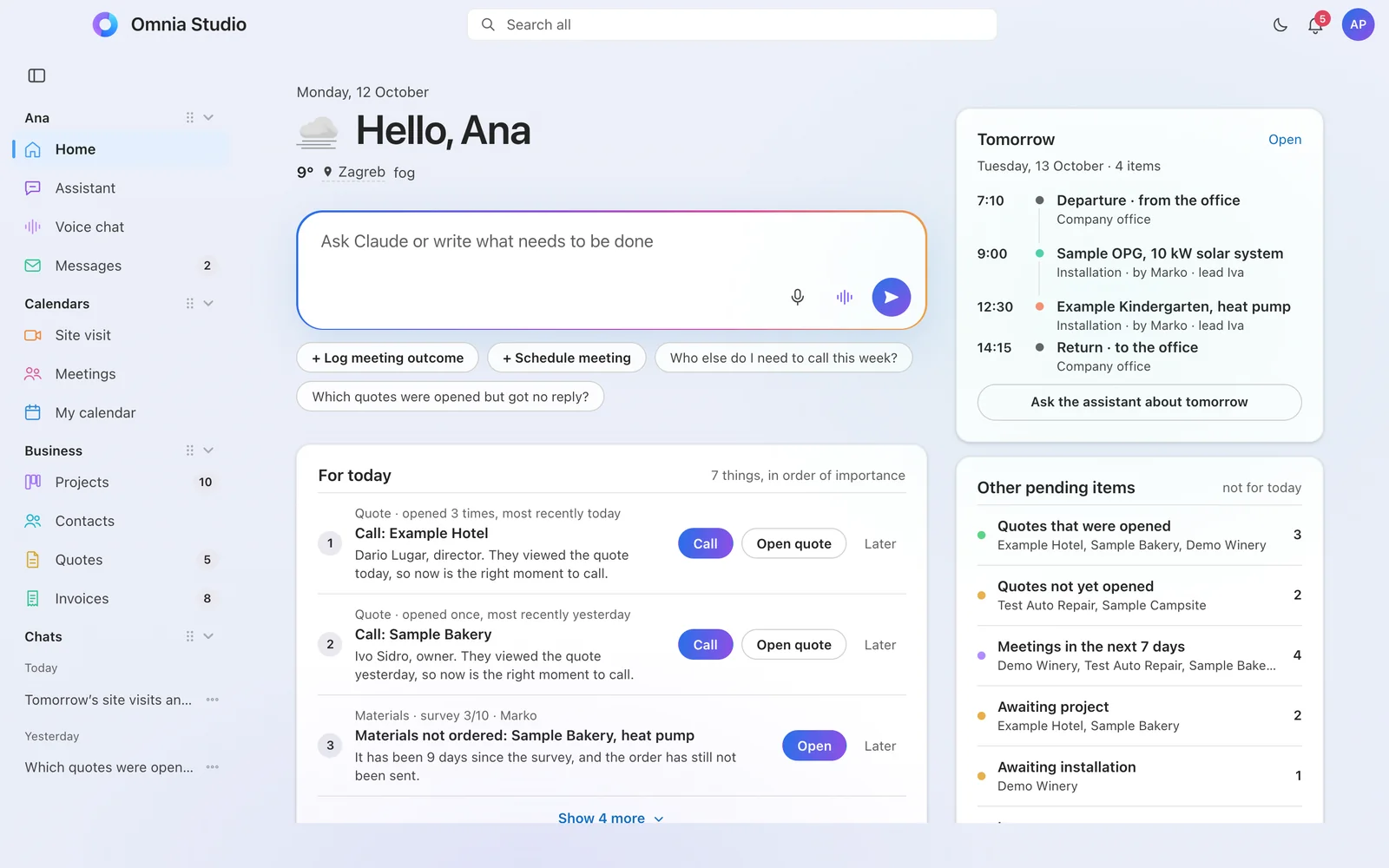
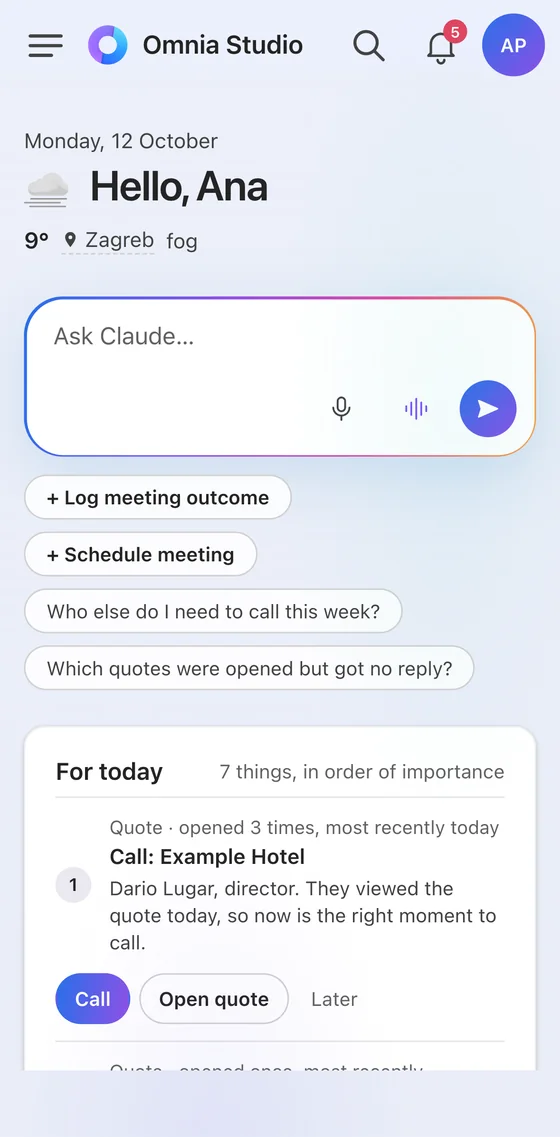
Available throughout the European Union
The images show an example with a fictional company and fictional data.
 Claudeassistant and conversation
 Google Geminitext and image processing
 Microsoft 365email, calendars, files
 WhatsApp Businessmessages and reminders
 MetaFacebook and Instagram
 Cloudflaredomain, speed and protection
We didn’t build it to sell. We built it for ourselves.
The foundation we offer is what we use ourselves, every day. Omnia Studio runs our own business: arrangements, projects, quotes and posts. Now we’re setting up the same for other companies.
One app instead of five tools and a hundred messages
Six things form the foundation, and a seventh is coming soon. They are all connected, so a piece of data is entered once and seen by everyone who needs it.
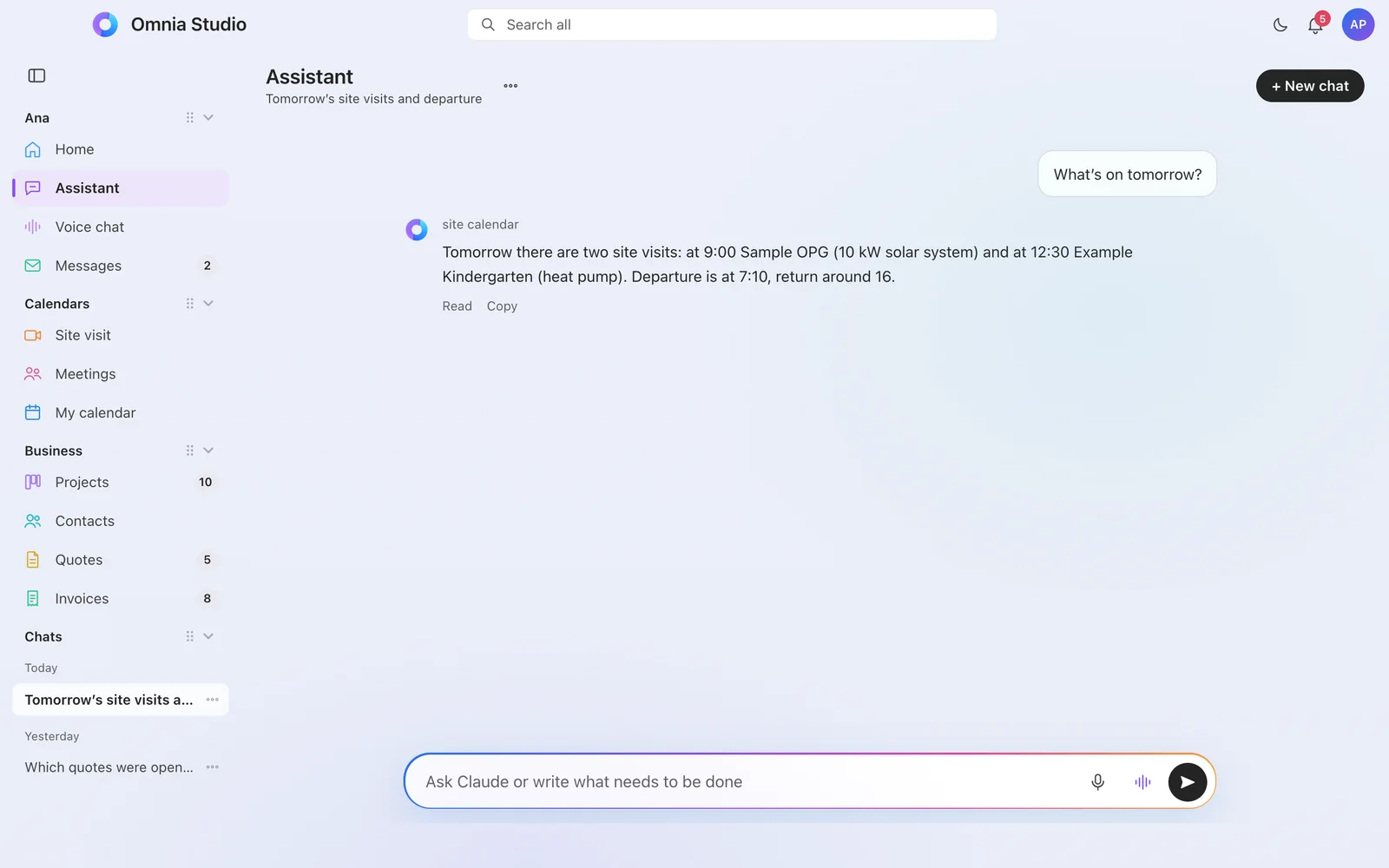
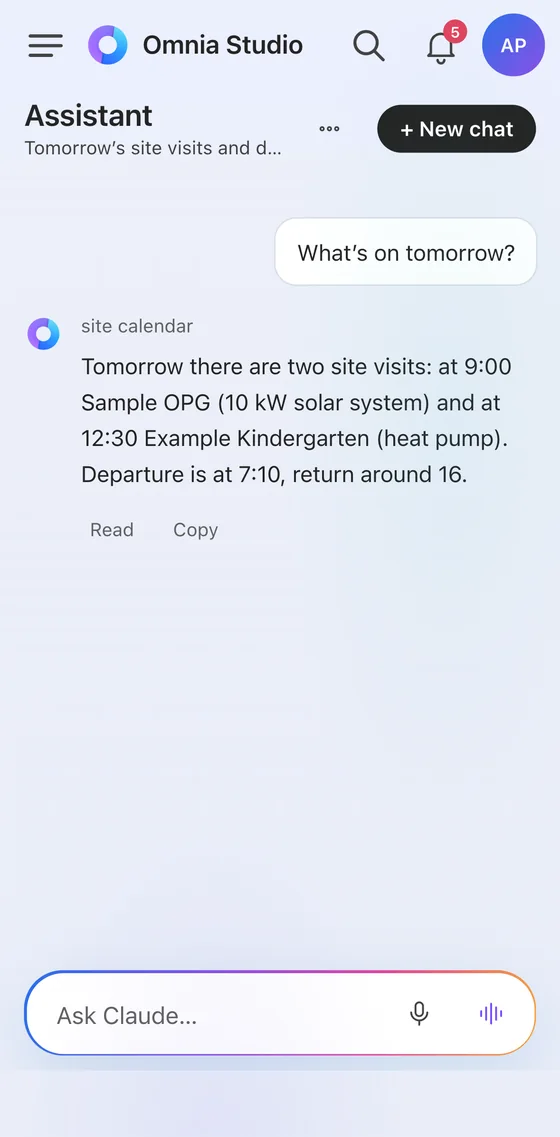
An assistant that knows your company
Ask it in plain words, by typing or by voice. It answers from your data, in the language you write in.
- It knows your schedule, projects, contacts and quotes. “What do I have tomorrow?”, “Which quotes are open and unanswered?”
- It makes entries for you, and asks for confirmation before each one.
- Each person has their own assistant and sees only what they are allowed to see.
- Dictation and voice conversation, for when your hands are full or you’re on the road.
Your whole day on one screen
Every morning, Home tells you what matters today, in order of importance, and what’s waiting tomorrow.
- For today: who to call, what’s late, what’s waiting for your decision.
- Tomorrow: appointments, travel and the weather forecast in one place.
- Pending: open quotes, meetings, stalled projects.
Messages and notifications instead of internal emails
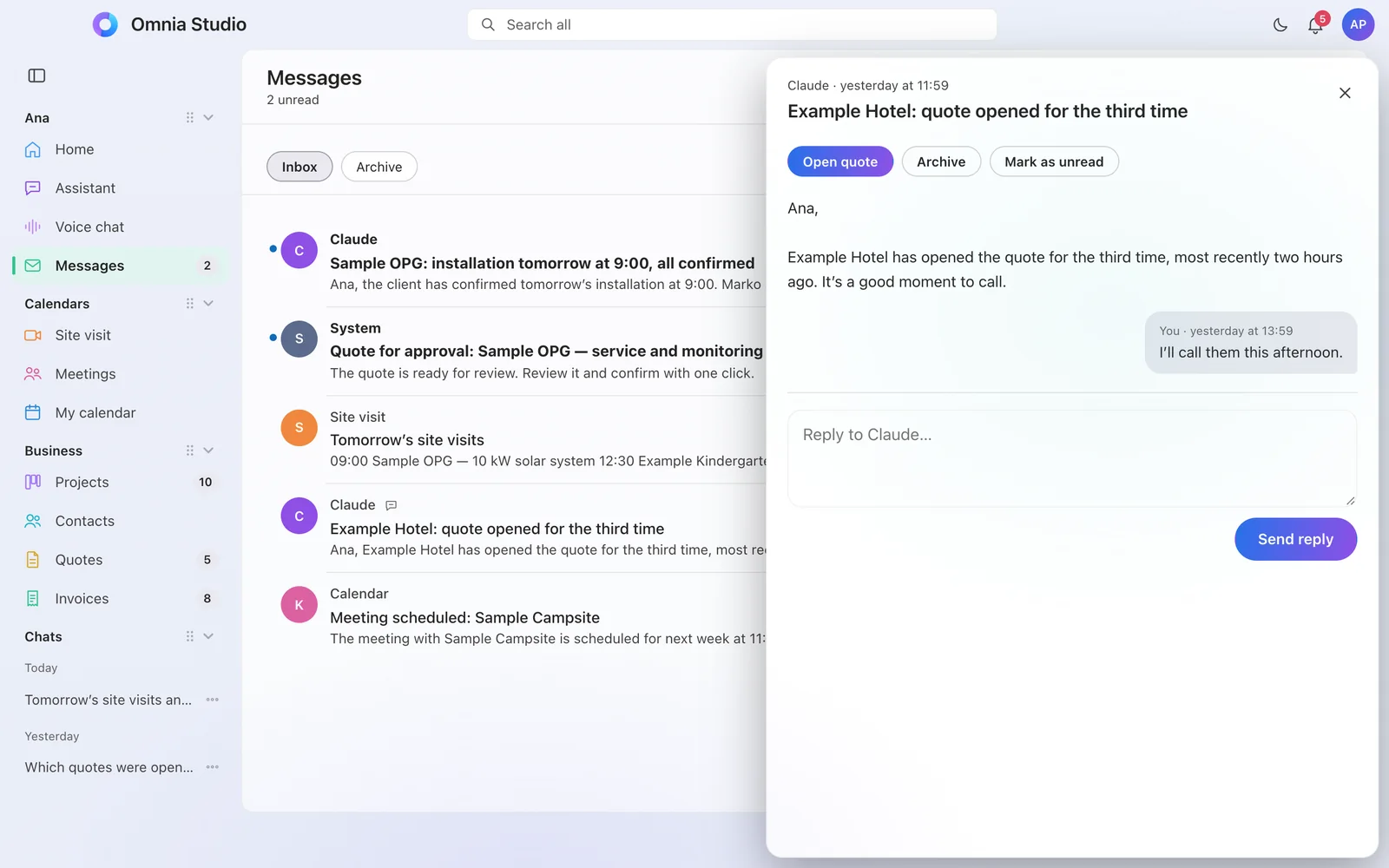
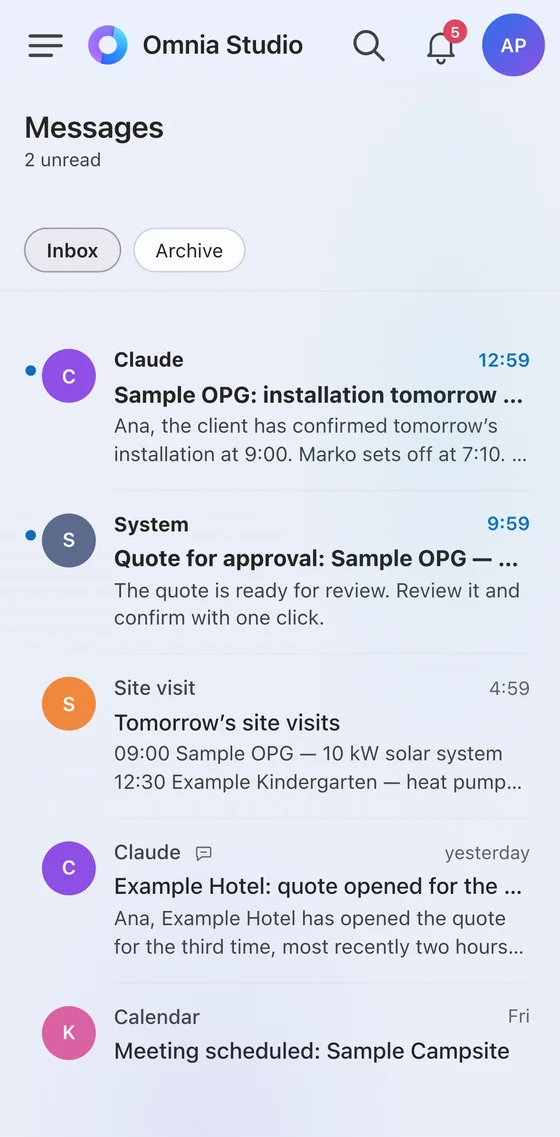
Everything about a job arrives in one place, and only the people concerned get a notification.
- An in-app inbox with a button that takes you straight to the job in question.
- Reply from the app, without searching through email.
- Device notifications by event and role: “the quote has been opened”, “field work tomorrow”.
Calendars that keep themselves in sync
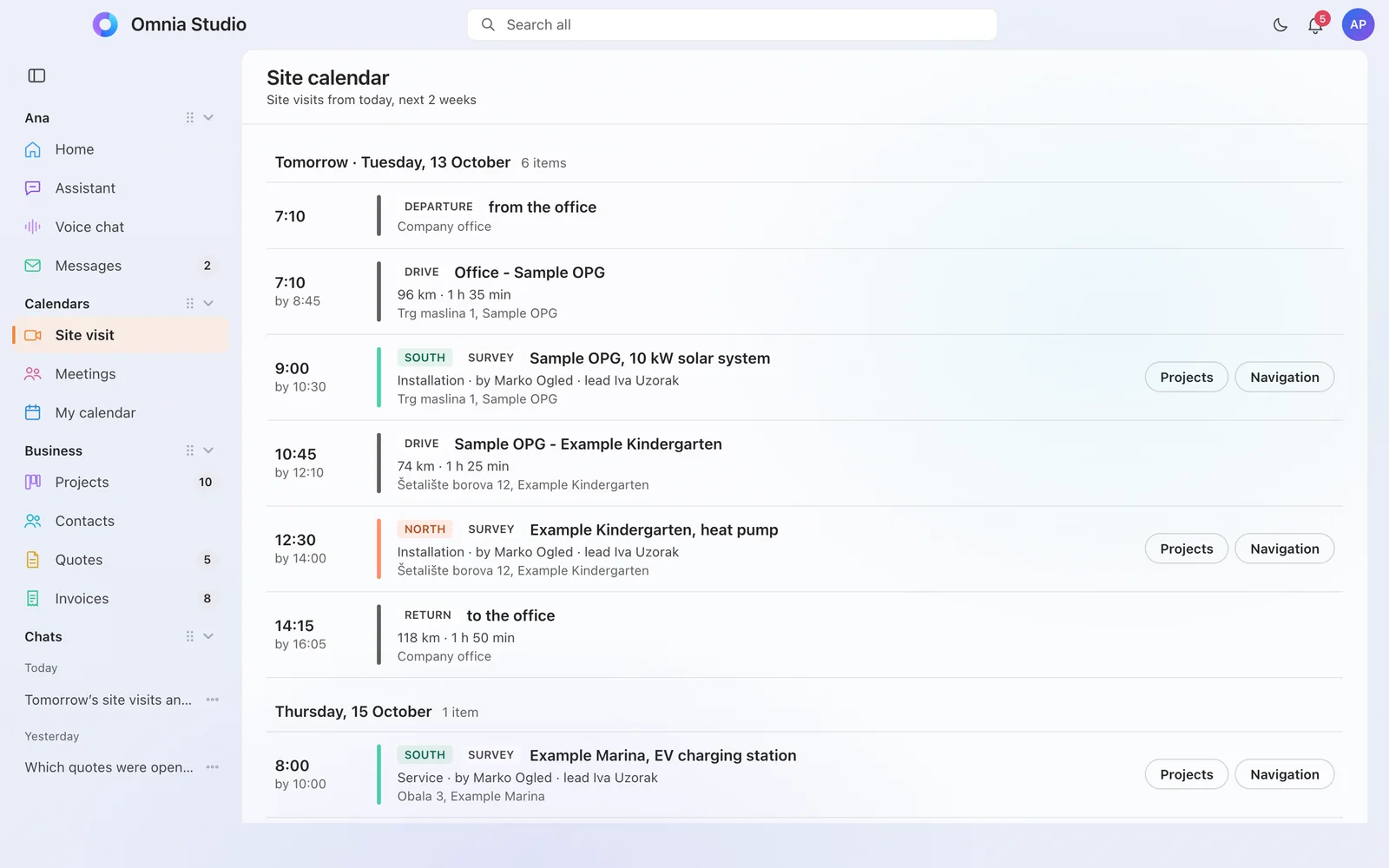
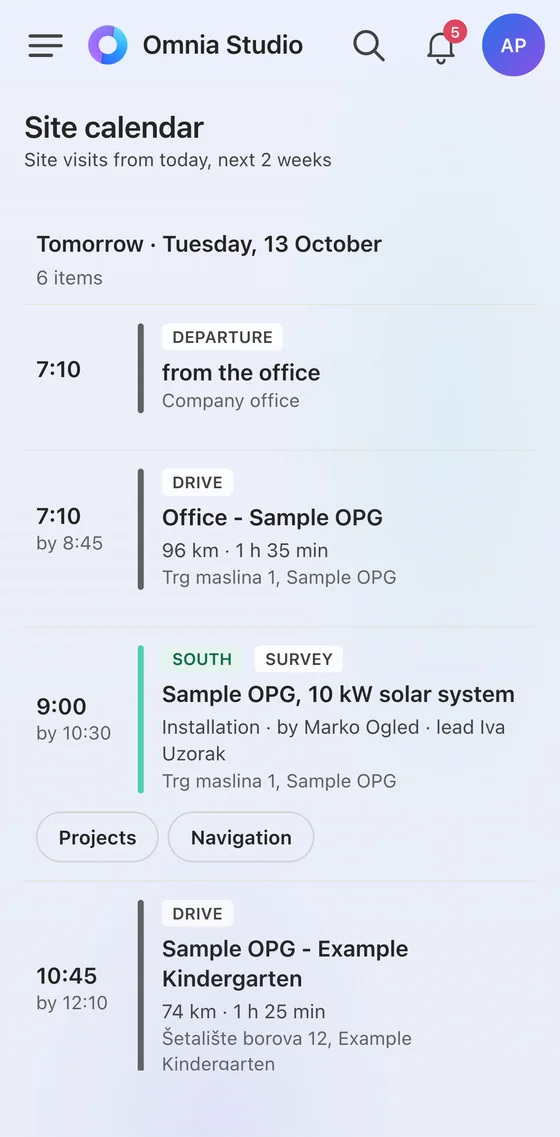
The shared team calendar syncs with personal calendars, without a flood of invitations.
- Field work and meetings kept separate, everyone sees their own.
- Travel with each appointment: departure, drive and return calculated and entered.
- Evening overview of the next day, and schedule changes arrive on their own.
Projects that move through stages on their own
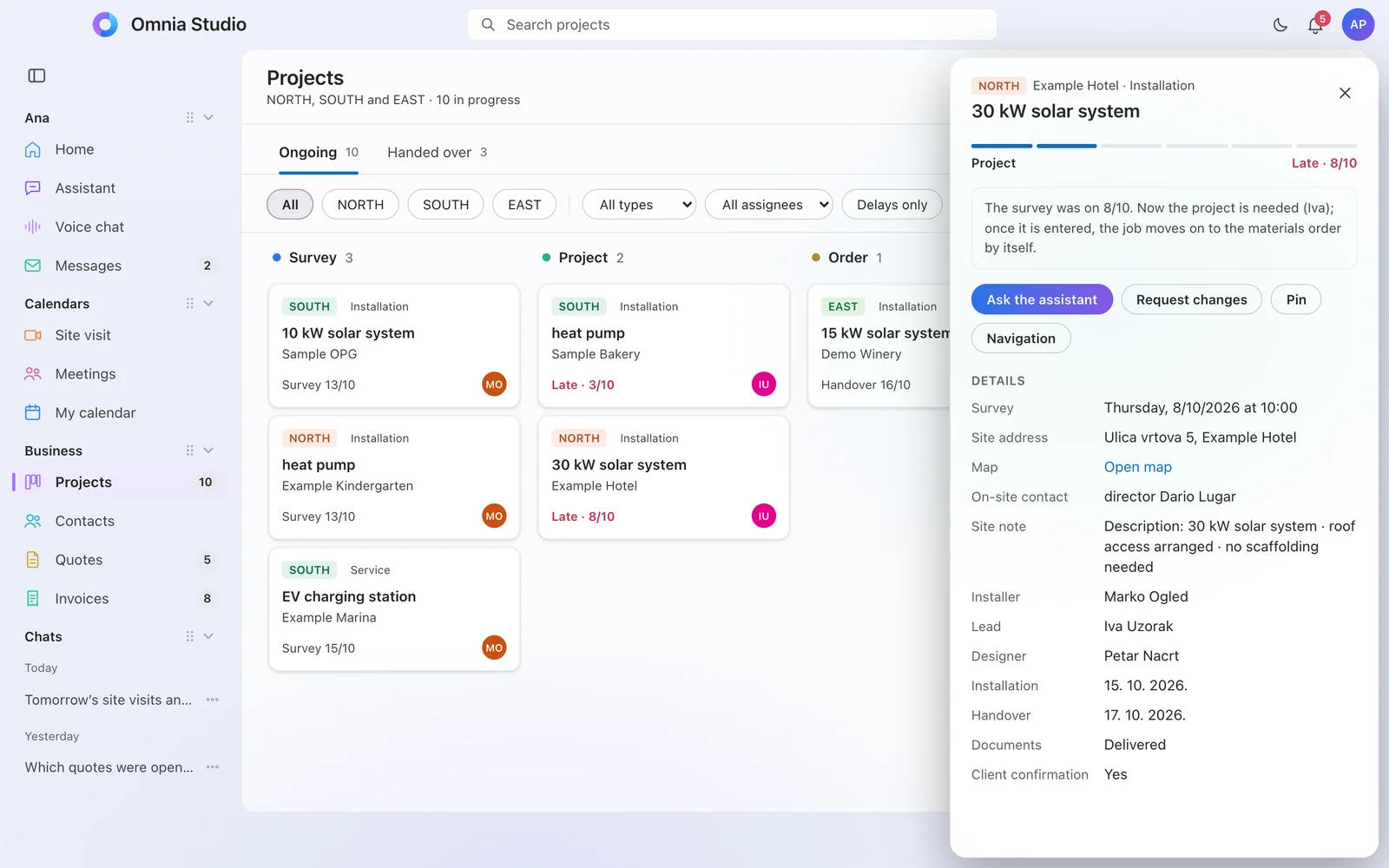
Every job has a clear next step and a person responsible. A hold-up is visible the same day.
- Stages that match your business: from first agreement to handover.
- The next step in one sentence on every project.
- Client approval in one click, or with a written comment.
- Document collection from the client, with a reminder that goes out on its own.
Contacts and quotes with tracking
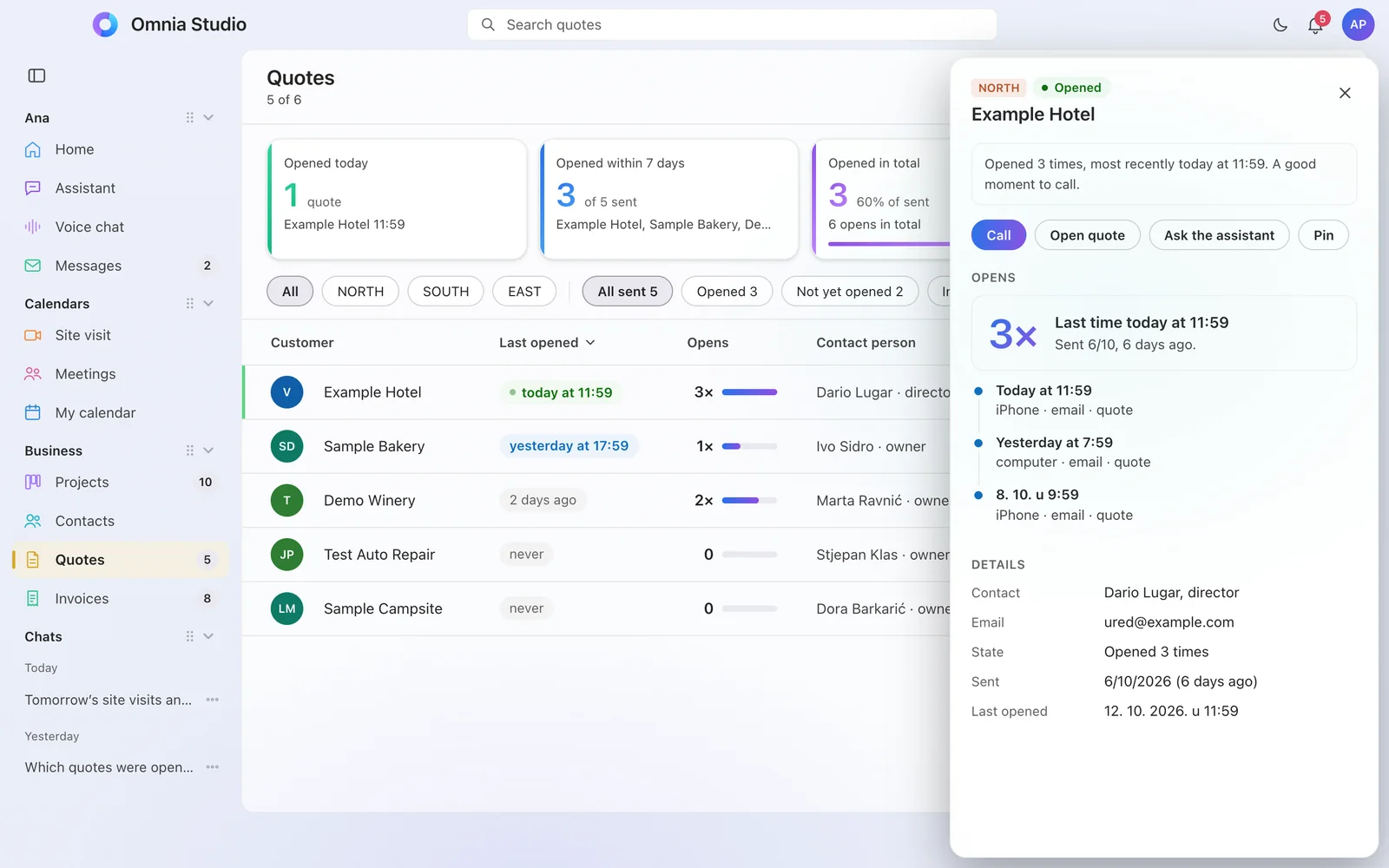
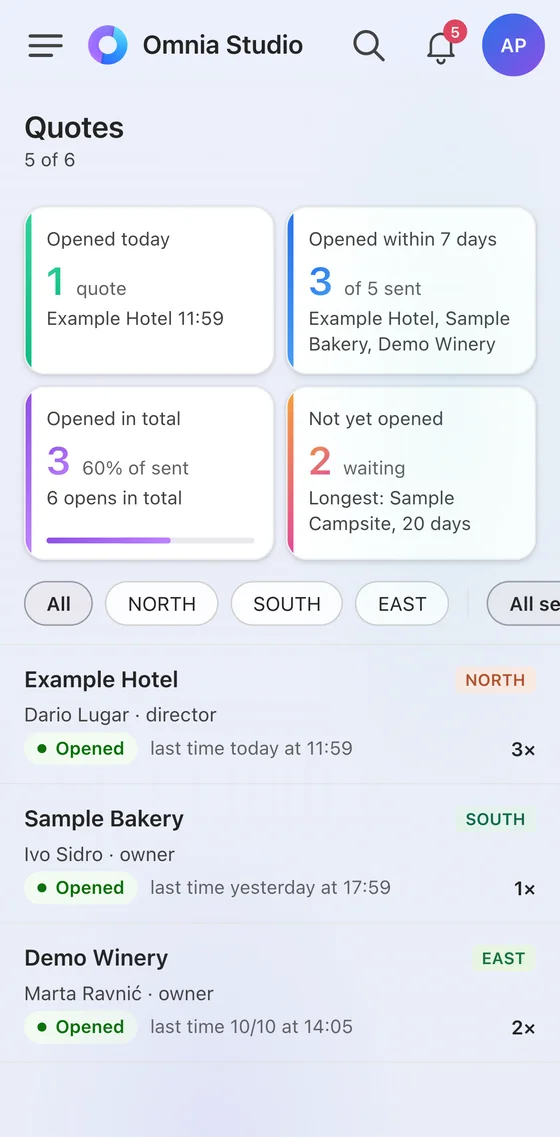
A quote is no longer an attachment that gets lost in email. It’s a personal page for the customer, and you know what is happening with it.
- You know when the customer opened the quote and call at the right moment.
- The customer accepts right on the quote, from a computer or a phone.
- Reminders you approve go out on their own and stop as soon as the customer replies.
- Customers and partners in one place, with history and status.
Invoices and payments under control
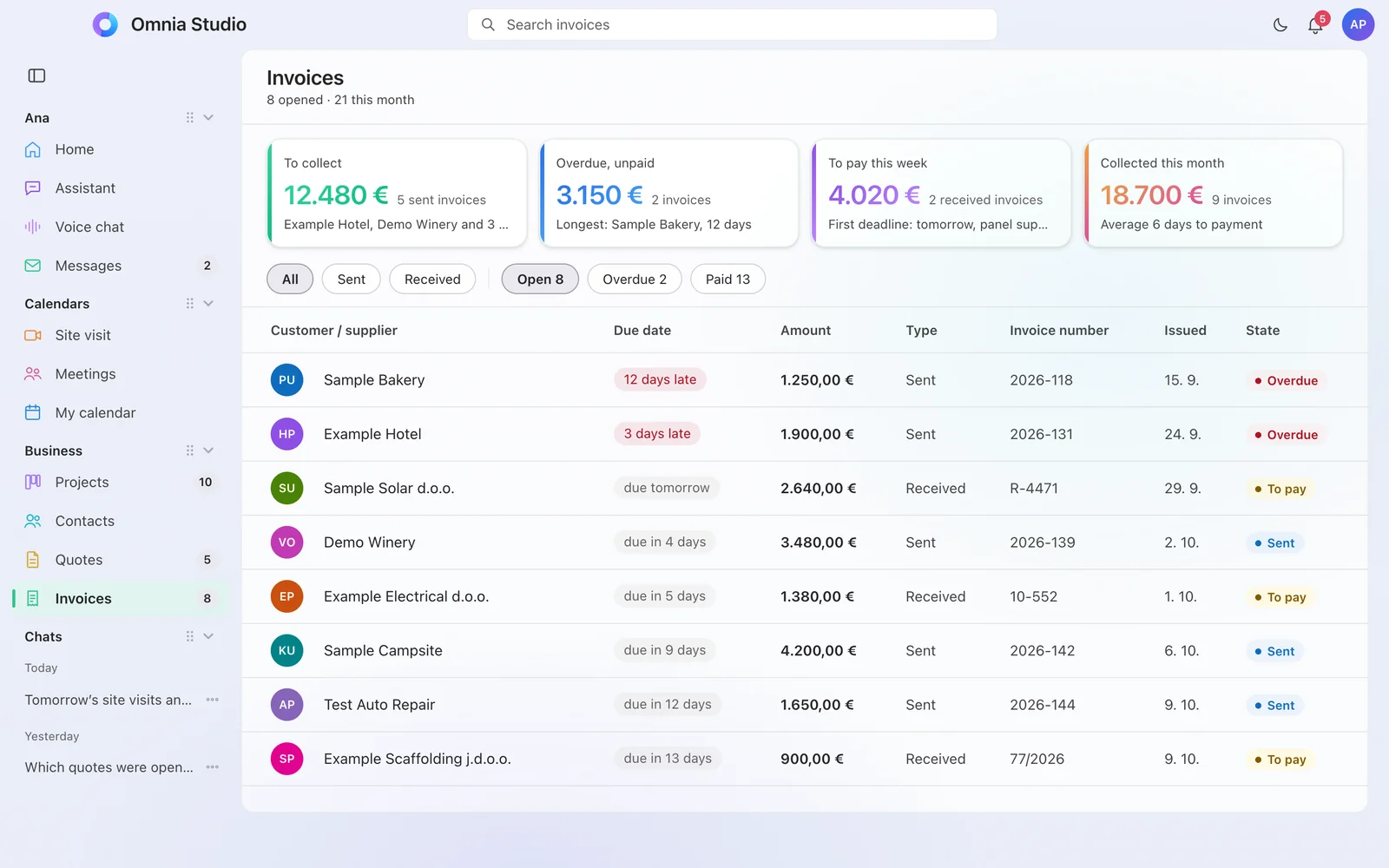
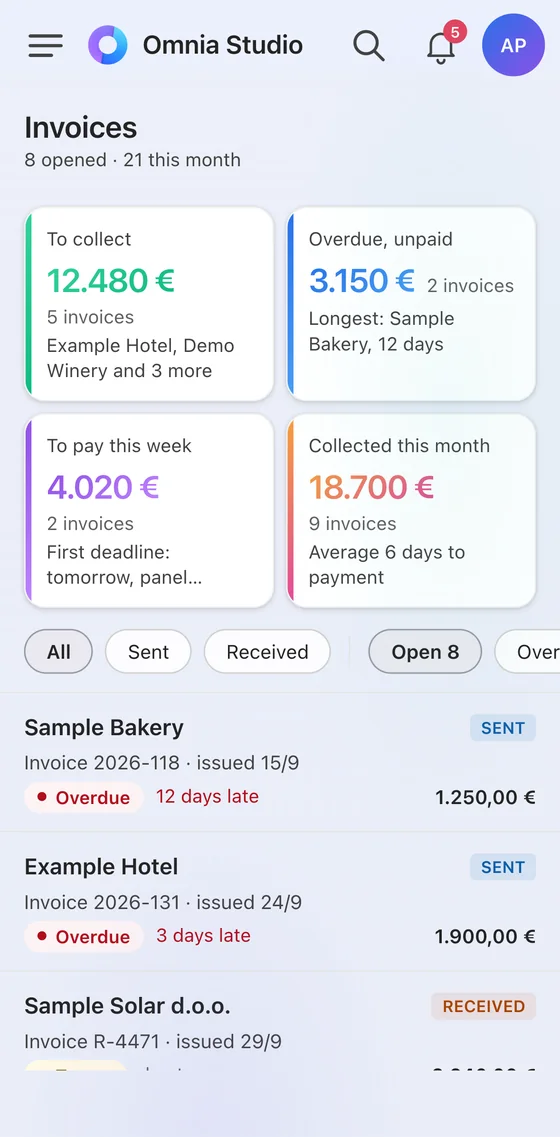
Every invoice sent and received in one place, with what an owner really wants to know: who owes, what is falling due and how much has been collected.
- Sent and received invoices together, pulled from your e-invoicing software. Your software stays yours.
- Receivables at a glance: who is late, by how many days and for what amount.
- Payments on time: what you need to pay this week, with a reminder before the due date.
- The reminder to the customer goes out on its own, politely and only with your approval, and stops as soon as the payment arrives.
- The assistant knows where things stand. “Who owes me more than a thousand euros?”, “What am I paying this week?”
You enter it. Approve it. Done.
No new hires and no software to learn. Omnia handles the repetitive work on its own and contacts you only when your decision is needed.
Reminders that go out on their own
Team members and clients get their reminders on time. You only see what gets stuck.
One-click approval
The client or manager approves the work via a link in the message. Comments go back to the right person.
Posting to social media
Content goes out to several networks at the agreed time, with your approval and without duplicate posts.
Ads with a preset budget
A post can get an ad automatically, with the amount, duration and area you set once.
Morning overview
A short summary every morning: what’s done, what’s late and what needs your decision.
Custom bots
We set up the work that repeats in your business so that it starts on its own and reports back only when a person is needed.
Nothing new goes out without your approval
Artificial intelligence sometimes makes mistakes. That’s why the work is clearly divided: the machine prepares and reminds, and a human approves everything that goes to a client or to the public.
Omnia works on its own
- finds data and answers questions
- drafts messages, quotes and posts
- reminds team members of deadlines
- syncs calendars and calculates travel
- lets you know when something stalls
Waits for your confirmation
- every entry the assistant makes for you
- everything that goes to a client or customer
- everything that is published publicly
- everything that spends money
- every new automation, which first runs as a “dry run” and has a brake
The assistant always introduces itself as artificial intelligence. Its name is Claude.
Add-ons we put together for your business
The foundation is the same for everyone. We add the rest when you need it; some add-ons are ready and some are coming soon, and that is clearly stated.
Shared inbox under control
The system reads the shared inbox and sends a summary to the people responsible, so nothing slips through. The customer is answered by a person.
Speech transcription and minutes
A meeting, dictation or recording becomes tidy, time-stamped text.
WhatsApp messages and reminders
Appointment confirmations, day-before reminders and one-tap approvals arrive on WhatsApp, where people actually read them. For your team and your clients.
Microsoft 365, licences and domain
We set up business email, calendars and shared files on your domain, manage the licences for each person and put protection against impersonation in place. Licences are charged at Microsoft’s list prices.
Phone assistant for appointments
The call gets answered, the appointment goes into the calendar, and the caller knows straight away that they are talking to an assistant.
Replies to customers on the web and WhatsApp
The customer gets an answer straight away, even outside working hours, in the language they write in. What the assistant doesn’t know is taken over by a person.
Same system, different emphasis
Every company will recognise itself somewhere here. Before implementation we map out your business, then set up what you need.
Service companies and field teams
Field schedule, travel with each appointment, a reminder to the client the day before, and a project that doesn’t stall because someone forgot to pass on a message.
Practices and salons
Appointments, reminders and client messages set up in advance, and the team knows its next day the evening before.
Agencies and project offices
Tracked quotes, projects in stages, one-click client approval and document collection.
Tourism and hospitality
Social media posts with approval, an overview of enquiries, and reminders, for when it’s high season and there is no time.
Retail and manufacturing
Customers and partners in one place, quotes that don’t get forgotten and a morning overview for the owner.
Associations, sport and culture
An events calendar, messages to team members and posts that go out on time, without one person keeping it all in their head.
You don’t get a tool, you get your work set up
We implement step by step and stay with you. From you we need a conversation at the start and one click for each approval.
In plain words: what happens to your data
We don’t write that something is “completely secure”. We write exactly how it works.
Sign-in with a work account
During implementation we set up sign-in with your company’s Microsoft work account. No new password to remember.
Everyone sees only their own
Permissions are set by role. Sales data is seen by sales, and field staff see their own schedule.
Confirmation before any entry
The assistant enters nothing until you confirm. Everything it does is logged.
Your data stays yours
We work alongside your existing Microsoft 365. Before we start, you get a list of all the providers involved in processing.
It’s clear when a machine is speaking
The assistant introduces itself as artificial intelligence, in writing and by voice, to everyone it talks to.
Every change can be undone
We make a backup before any change, and every new automation goes through an independent check before it stays live.
One price per company, no surprises
We don’t charge per user or per “credit”. Artificial intelligence is included in the monthly price.
Tailored implementation
One-off. Process review, connecting the data, building the automations, trial and team training. You know the price in advance, in writing.
Monthly per company
The app on all devices, an assistant for each person, maintenance, changes when your business changes and support.
Your company website
With the package we build your company website at no extra charge. Modern, fast and mobile-friendly, so it looks just as good on a computer as in your hand.
What everyone asks us first
Will artificial intelligence make mistakes?
Yes, sometimes. That’s why everything that goes to a client, to the public or spends money waits for your approval, and the assistant asks for confirmation before every entry. The machine prepares, a human decides.
Our business is different. Will this fit?
That’s why we tailor the implementation. First we map out how you work, then set up the stages, reminders and automations accordingly. Same system, different emphasis.
Do we have to change the tools we already use?
No. Omnia works alongside Microsoft 365, which many companies already have: email, calendars and files. Connections to other software are agreed separately for each company, and we tell you in advance what is possible.
Does Omnia replace our invoicing and accounting software?
No. Your invoicing software and your accountant stay. Omnia pulls an overview from it: what has been sent, what has been received, what has been paid and what is late, and reminds you of due dates. From 2026, VAT-registered businesses in Croatia issue and receive invoices as e-invoices, so the data is already in digital form. This part is coming soon.
What about our data?
Sign-in is with your company’s work account, everyone sees only what their role allows, and before we start you get a list of all the providers involved in processing. We agree the data processing terms in writing, before we connect anything.
We have no one who could run this.
You don’t need anyone. We implement, train your people and maintain. You write or speak to the assistant in plain language, so there is no software to learn.
Is the assistant a human?
No. The assistant is artificial intelligence, its name is Claude and it always introduces itself that way. It is instructed to say so when it doesn’t know something.
Which devices does it work on?
In the browser and as an app for Windows and Mac. Apps for Android and iOS are coming soon; until then, on a phone you add it to the home screen and it works like an app.
How much does it cost?
Implementation is one-off and tailored, and after that there is one monthly price per company, not per user. You get the exact amount in writing after the meeting, before we start anything.
Get in touch. We’ll call you.
First we have a short phone call, and we arrange the meeting on that call. No obligation.
- CallWe call you at a time you choose and hear what you do.
- MeetingOn the call we agree a time, in person or by video call.
- ProposalYou see the app with your own example and get a proposal with a fixed price.